
Overlays
Leaderboard
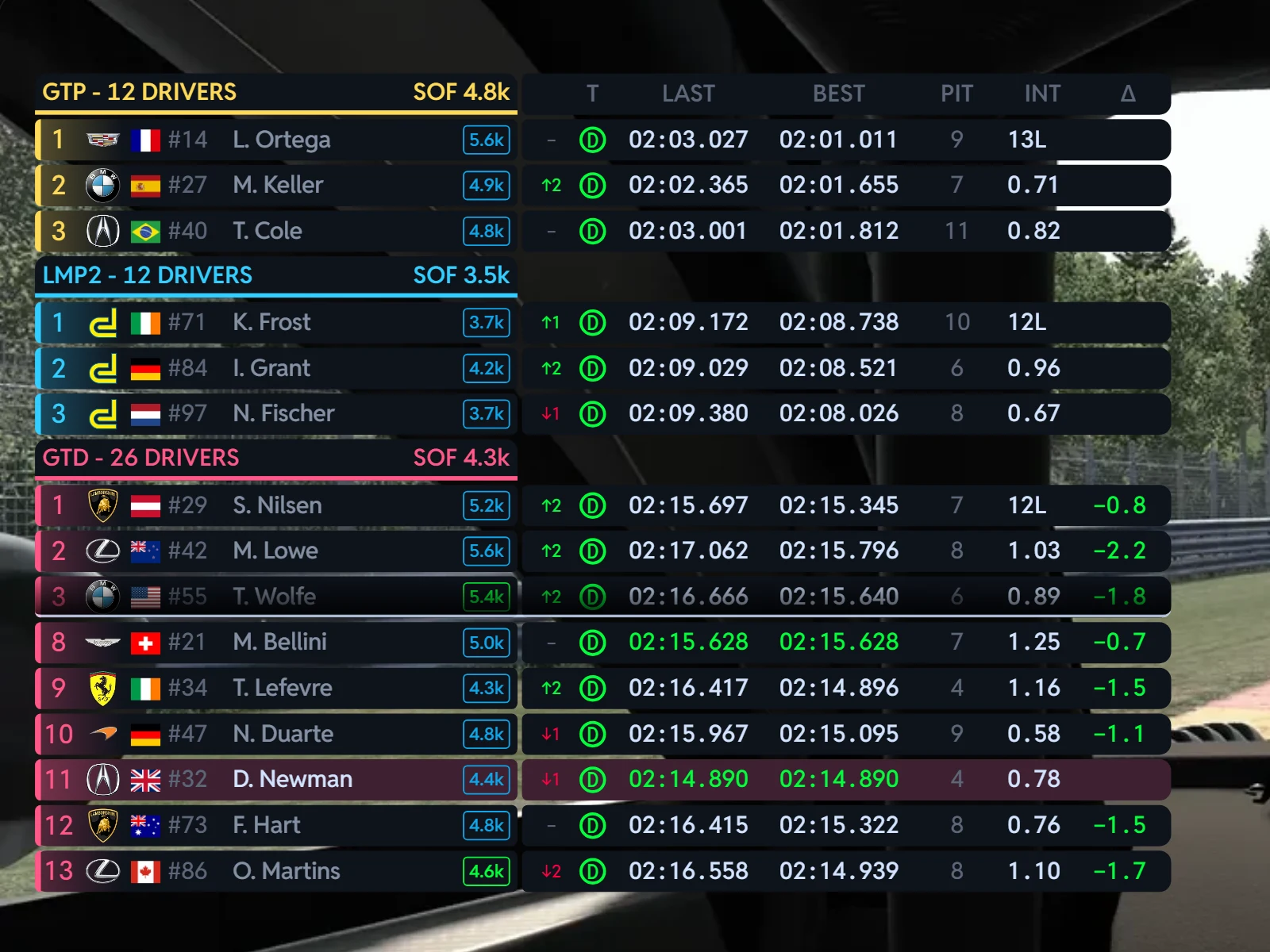
A fully customisable leaderboard that does multiclass properly: each class grouped with its strength of field, iRatings, pit status, best laps and gaps, in the columns, order, size and style you choose.
A leaderboard built your way
Every sim draws its timing tower its own way, and none of them ask you. The TrackThirtyTwo Leaderboard is yours to build: choose from twenty columns and put them in your order, then run it on screen as you race. It groups every class with its strength of field and keeps your own row in view, however far down the order you are.
- Columns
- 20ColumnsOn or off, in the order you choose
- Rows for your class
- 17Rows for your classMax Drivers In My Class, from 5
- Leaders per class
- 3Leaders per classFor every other class, from 1
- Rows always kept
- 5Rows always keptFor your class, however many classes run
 and above
Leaderboard, with Team Driver.
Overlays come with Team Driver and above, all five of them: the Virtual Box, Leaderboard, Virtual Brows, Virtual Flags and Track Maps.
Why Leaderboard wins
Same columns, screen and dash
The Leaderboard's columns come from the same catalogue as the leaderboards on the Race Control dashboards, worked out from the same race data. Learn the board once and it reads the same on your screen and on your dash.
Build your board, watch the race
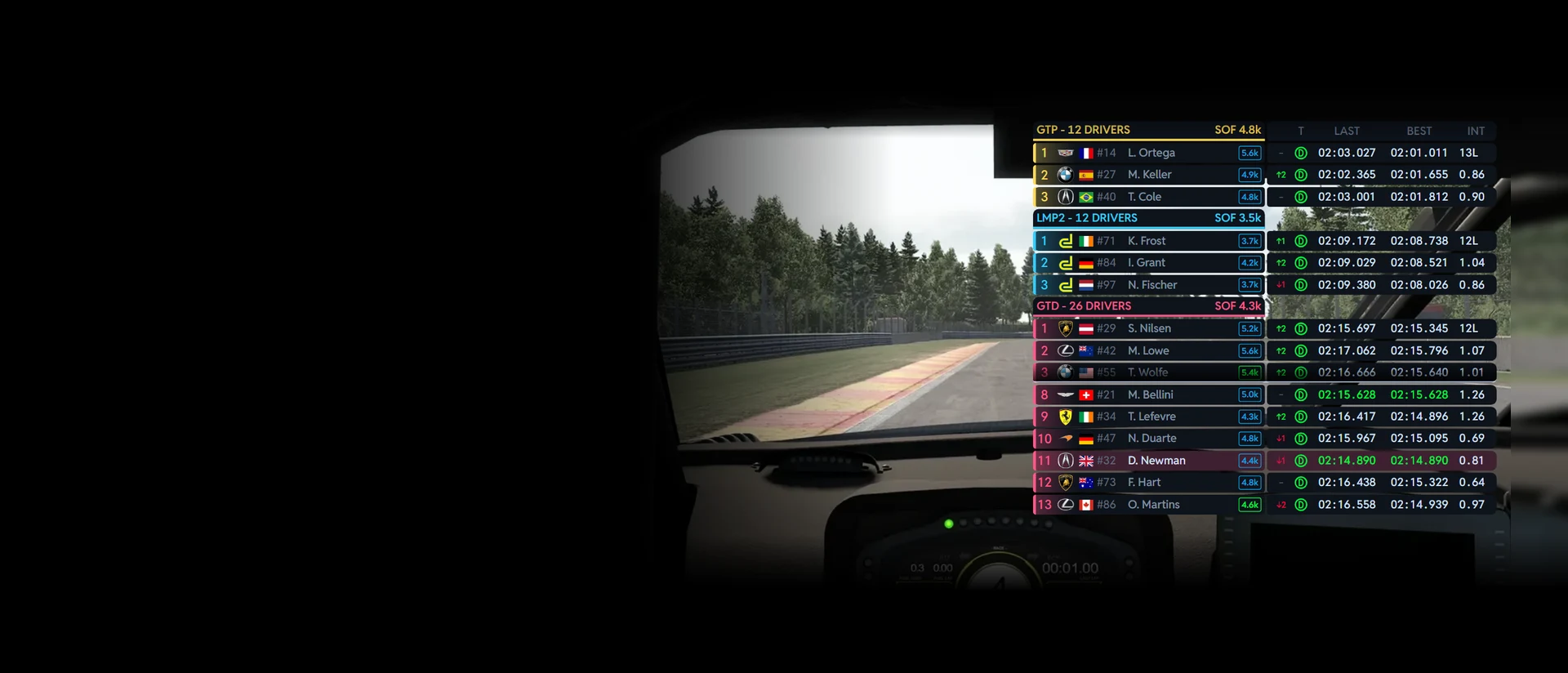
The Leaderboard over a real cockpit at Spa, the race running: gaps open and close, places change hands and laps close in their colours. Each chapter is one thing the board does: pick an option and the board shows it at once.
Your columns
Twenty columns, your order
Choose which columns are shown on the leaderboard and in which order: on the Leaderboard page you drag a column to reorder it, and the preview updates in real time. Each column takes its width on the board, and one that would not fit cannot be switched on until you make room.
Room on the board
Tap a column to add it or take it off. Each one takes its width on the board.
- Twenty columns, from iRating Gain to Delta, Two Laps Back
- Ten are on out of the box
- The board's ground shrinks to the columns you pick
- A column your sim cannot fill hides itself and the board closes up
Multiclass
Every class, grouped and ranked
Each class gets its own block, headed with its name, its number of drivers and, in iRacing, its strength of field. Your class sits at the bottom with up to seventeen rows, and the other classes show their leaders above it. When you are further down your class than it has rows, the board shows its leaders, fades, then the cars around you: your own row always stays visible.
Show Other Classes
Drivers Per Other Class
- Show Other Classes: off to show only your own class
- Drivers Per Other Class: 1 to 3, fewer when many classes are on track
- Max Drivers In My Class: a ceiling from 5 to 17
- Positions in class, in the class's own colour
Every row
Everything about a car, in one line
Class colour and position, the brand logo, the driver's flag and car number, then the name the way you like it. In iRacing the licence and iRating follow; in Le Mans Ultimate, the virtual energy left. A black flag, a meatball or a yellow shows beside the name, a purple timer marks the class's fastest lap, and an arrow shows the places gained or lost.
Driver Name Format
- Driver Name Format: F. LAST, FIRST. L or FIRST LAST
- Use Team Name When Available, falling back to the driver
- Your own row tinted in your class's colour
Lap times
Laps that tell you something
Last and best laps in the colours that matter: purple for the class's fastest, green for a fresh personal best. Δ sets your last lap against theirs for every car in your class, green when yours was quicker, and Δ-1 and Δ-2 do the same one and two laps back. 5 AVG and 10 AVG show who is quick over a stint, not just a lap.
Columns on show
- S1, S2 and S3: each driver's last-lap sectors
- INT: the gap to the car ahead in class; the leader shows its lap
- GAP: the gap to you, + for a car ahead and - for one behind
- Gap Display: 1 or 2 decimals, the sign on or off
- Pit, Stint and Stop Duration: each stop timed, lane in to lane out
Your sim
The most from every sim
In iRacing the board shows licences and iRatings, each class's strength of field and the incidents, and with the TrackThirtyTwo data source an estimate of where each driver's iRating lands if the race ended now. In Le Mans Ultimate each row shows the virtual energy left. A column a sim cannot fill hides itself and the board closes up, so there is never an empty column on your screen.
Your sim
- Incidents and iRating Gain: iRacing only
- iRating Gain needs the TrackThirtyTwo data source
- Push-to-Pass, in the iRacing series that have it
- Sector times, where the sim gives each driver's sectors
The look
Dark or Light, logos your way
Two themes, Dark and Light, with each class's colour kept readable on both. Brand Logos shows the real manufacturer logos in colour on every theme, or the flat Monochrome set that follows the theme. Overlay Background Opacity lets the sim show through the rows.
Theme
Brand Logos
- Overlay Background Opacity: 0, fully transparent, to 100, fully solid
- Overlay Content Opacity: 10 to 100, so it stays readable
Your screen
Top left, or wherever you race
Quick setup puts the Leaderboard top left out of the box: tick it, or pick any of nine positions and a size from 50 to 200 %. The board's ground only covers the columns you chose, so a short board leaves more of the track in view.
Position
- Position and size changes apply straight away while the overlays are shown
- Fine tune positions opens SimHub's own edit mode to drag and resize it
Every sim, and the most from each
The Leaderboard runs on the free TrackThirtyTwo SimHub plugin, fed by TrackThirtyTwo ONE where a sim is covered and by SimHub's own data everywhere else.

- Licence and iRating on every row
- Strength of field for every class
- Incidents
- iRating Gain, with the TrackThirtyTwo data source
- Push-to-Pass, where the series has it

- Virtual energy left on every row
- Every class grouped, with its leaders
In every sim
- Classes grouped, your row always in view
- Lap, sector and average times
- Pit, stint and stop timing
- Dark and Light themes
With RELAY
- Stint and stop history carried from the watching PC across a driver swap
With Race Control
- The same column catalogue on the Race Control dashboards' leaderboards
Leaderboard, answered
What makes it different from the sim's own timing tower?
Every sim draws its timing tower its own way, and none of them ask you. Our Leaderboard is fully customisable and does multiclass properly: each class grouped with its strength of field, iRatings, pit status, best laps and gaps, laid out how you want them, on screen and on stream.
How do I choose the columns?
On the Leaderboard page in TrackThirtyTwo > Overlays: choose which columns are shown on the leaderboard and in which order, and drag a column to reorder it. The preview updates in real time. Each column takes its width on the board, and one that would not fit cannot be switched on until you make room.
Can I show only my own class?
Yes. Turn off Show Other Classes to only show your own class. Max Drivers In My Class is an upper limit on the rows shown for your own class, from 5 to 17. It is a ceiling: when other classes are shown, the space they take is removed first, so the actual count can be lower. Your own row always stays visible.
How many leaders does it show for the other classes?
Drivers Per Other Class sets how many leading drivers to show for each other class, from 1 to 3. With many classes on track the overlay may show fewer so your own class keeps at least 5 rows.
Why is a column missing in my sim?
Some columns need data only some sims give: Incidents and iRating Gain are iRacing only, Push-to-Pass needs an iRacing series that has it, and the sector columns need per-driver sector data. When a sim cannot fill a column, it hides itself and the layout closes up.
How do I put it on screen?
Install it from TrackThirtyTwo > Overlays and use Quick setup: tick the Leaderboard and it goes top left, or pick any of nine positions and a size from 50 to 200 %. Fine tune positions opens SimHub's own edit mode to drag and resize it.
Which membership do I need?
Overlays need Team Driver or above. Without it the Leaderboard shows TEAM DRIVER MEMBERSHIP OR ABOVE IS REQUIRED.
Ready for Leaderboard?
Leaderboard unlocks with Team Driver and above, and runs from the free TrackThirtyTwo SimHub plugin.