Overlays
Virtual Brows
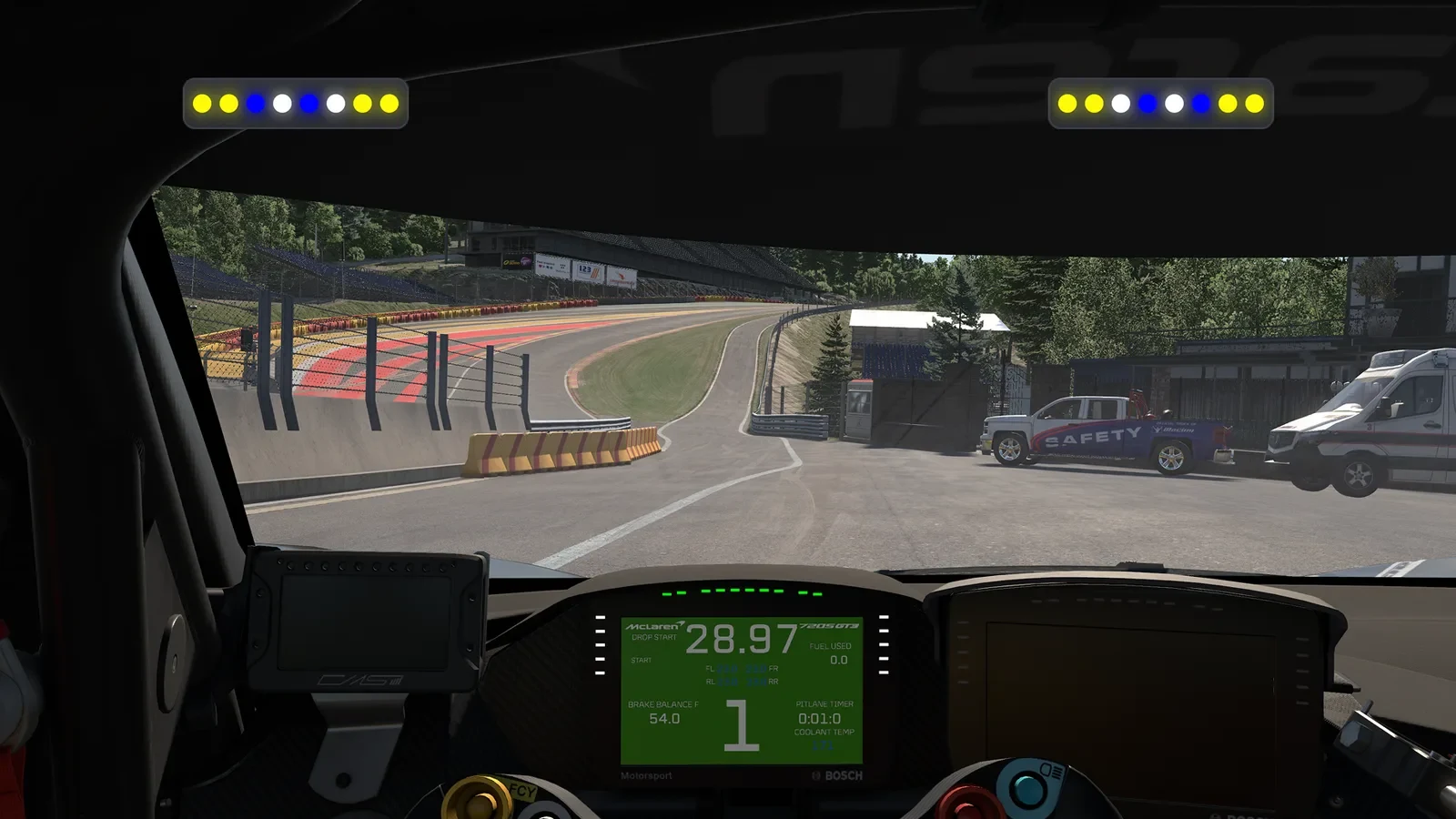
A pair of TrackThirtyTwo Brows drawn over your sim: eight lights a side that flash for a car alongside, the pit limiter, the flags and the shift point, at the edge of your vision, with no hardware to fit.
The Brows, on your screen
Brows are the light bars that sit above a monitor and talk to you in colour. Virtual Brows draw a pair of them over the sim itself, eight lights a side, so a car alongside, the pit limiter, a flag or the shift point catches the corner of your eye while your eyes stay on the road. Each one runs the real TrackThirtyTwo Brows profile, so it behaves exactly as the hardware does.
- Lights a brow
- 8Lights a browA left brow and a right brow
- Effects to choose
- 11Effects to chooseEach one on or off, on the Eyebrows page
- Largest scale
- 3xLargest scaleOverlay Scale runs from 1.00 to 3.00
- Screen positions
- 9Screen positionsOr drag them anywhere with Fine tune
 and above
Virtual Brows, with Team Driver.
Overlays come with Team Driver, and so does the Eyebrows page that decides what the brows show.
Why Virtual Brows wins
The real Brows profile, on screen
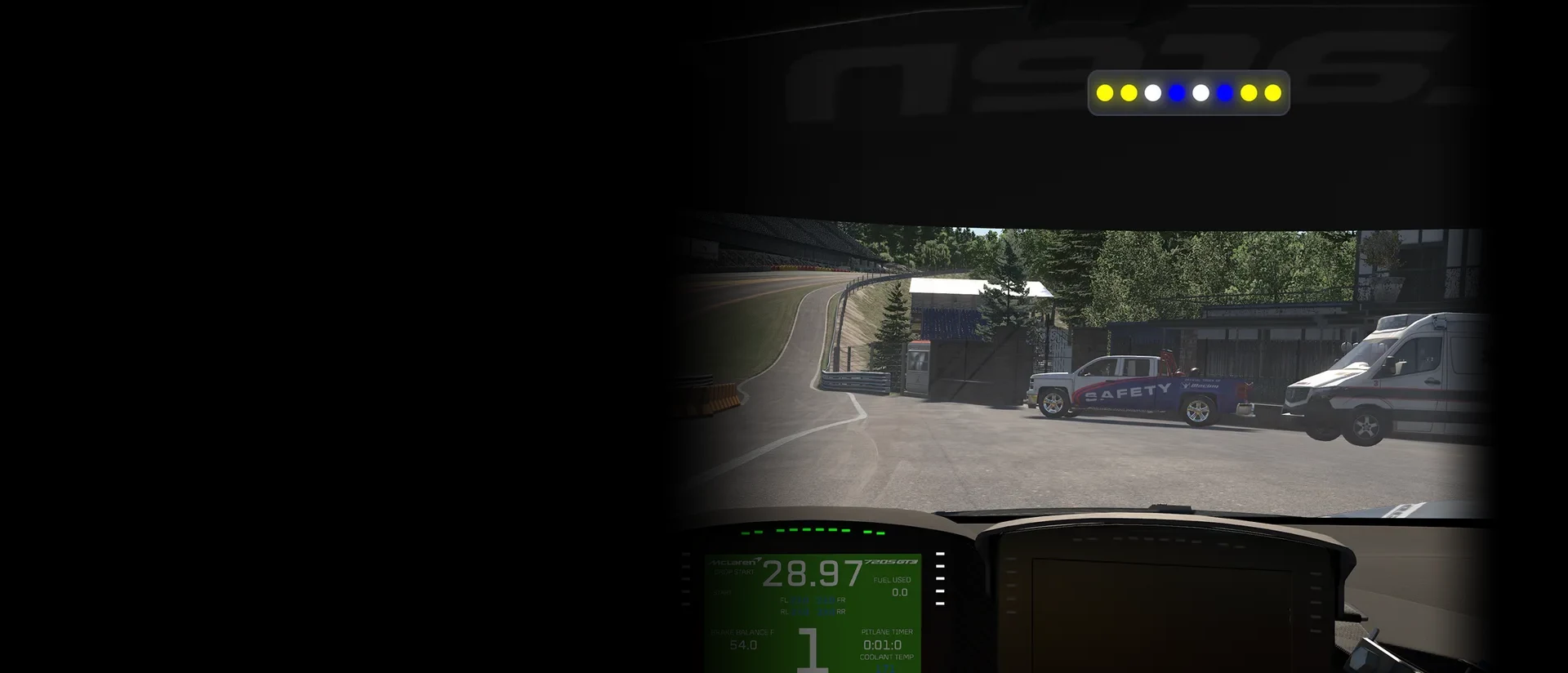
Each brow on screen is SimHub running the TrackThirtyTwo Brows LED profile itself, the one written for the physical light bars, in a window over the game. Every effect, colour and blink is the real thing, set on the plugin's Eyebrows page, so if you fit hardware brows later they behave exactly like the pair you have been racing with.
Your brows, in the race
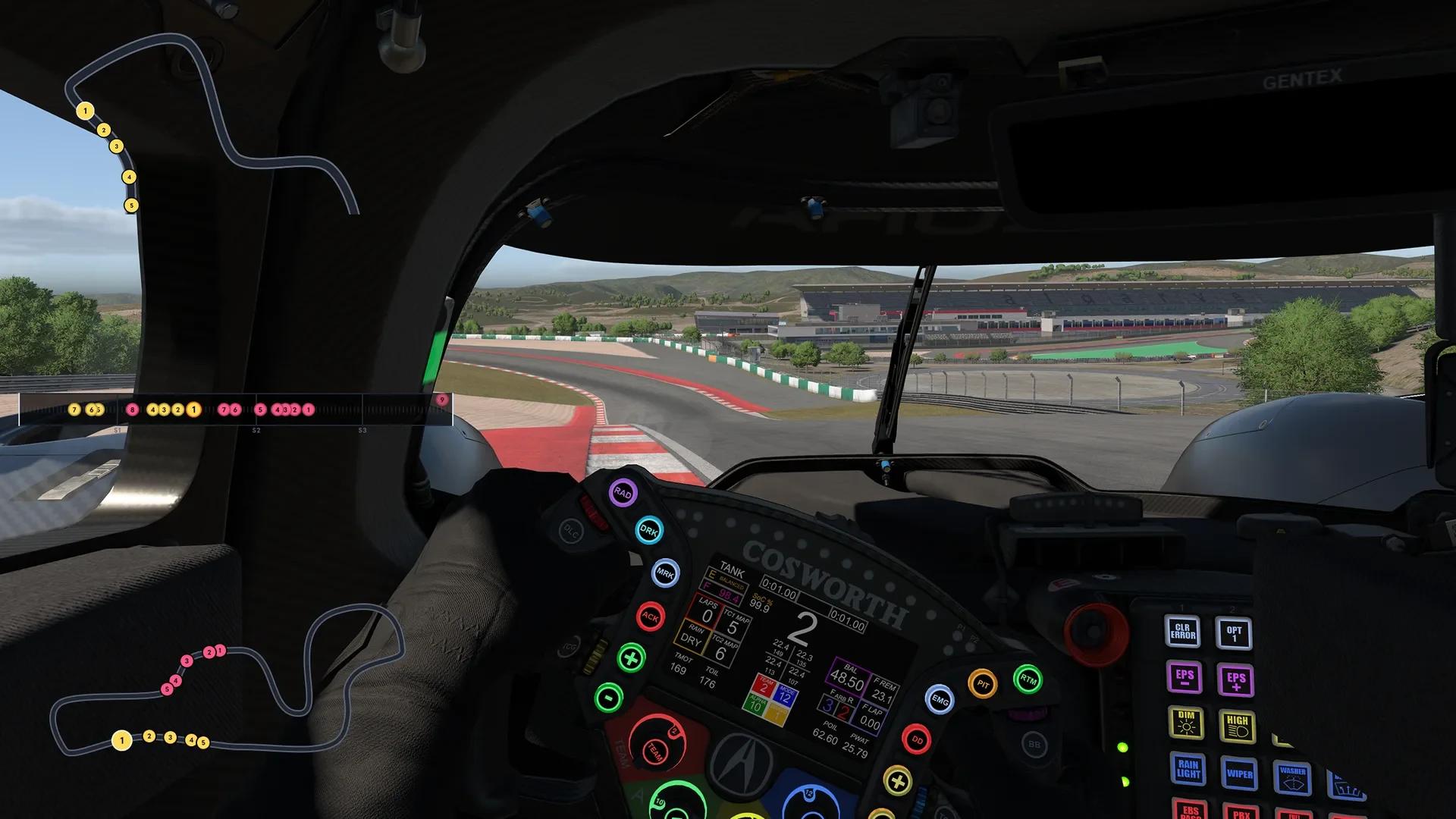
One real sim screen, with the pair of Virtual Brows drawn over the game. Each chapter is one thing the brows do: pick its options and the screen shows them at once.
Proximity Spotters
A car alongside, before you see it
When a car draws alongside, the brow on its side lights from the outside in. The closer it gets, the more lights come on, and inside the blink distance the flashing speeds up, so you feel the gap closing without a glance at the mirror.
Spotter Colour
- The left brow for a car on your left, the right brow for one on your right
- Three lights at least, all eight when it is right beside you
- Blinks every 300 ms, and every 150 ms inside 5 metres where the sim gives the gap
- Spotter Colour, both frequencies and Spotter Distance Far are universal settings
Marshal Flags
Flags at the edge of your eye
Switch on Marshal Flags and the brows flash the flag race control is showing. Yellow, blue, green, white, orange and red flash the whole brow; the safety car, the black flag and the chequered flag alternate light by light, so each one reads differently at a glance.
Pick a flag
- Nine flags, and any of them yours to drop in the Flags selection
- Flags take priority over the spotter, or the spotter over the flags: your choice
- Flags Blink Frequency from 100 to 3000 ms, 300 as standard
- In the pit lane, flags always visible or switched off
Pit lane
Pit lane, handled
Roll into the pit lane without the limiter and the ends of both brows flash red until you press it. With it on, the middle lights alternate in the limiter colours while the ends chase in yellow all the way down the lane. Go over the limit and the whole brow flashes red, and leave the lane with the limiter still on and the ends flash green to remind you.
The four calls
- Red at the ends: in the pit lane without the limiter
- Blue and white in the middle: the limiter, in the universal Pit Limiter colours
- The whole brow flashing red: over the pit lane speed limit
- Green at the ends: out of the lane with the limiter on, for up to 10 seconds
- Pit Box Countdown in iRacing, with the third party RomainRob SimHub plugin
Car systems
TC, ABS, brakes and battery
The brows also show what the car is doing. Traction control lights the inner half and ABS the outer half the moment either one cuts in, the brake gauge fills from the outside in and flashes as you near full pressure, and on hybrid cars the battery's state of charge sits across the brow in red, yellow and green.
Pick a system
- TC and ABS in every sim except the F1 games and BeamNG.drive; TC in iRacing needs the third party Dahl SimHub plugin
- Brake gauge blink stages at 80 and 100 per cent, as standard
- Lift and Coast in Le Mans Ultimate
- With Dark Mode on, the spotters, brake gauge and redline take your Dark Mode colours
RPM Redline Flash
The shift point, across the top of your view
Turn on RPM Redline Flash and both brows light the moment the gear runs out, so the shift reaches you from the edge of your vision. On Copy RPMs Theme they wear what your rev lights wear and blink the way they do. Custom Theme gives them colours of their own, one, two or three, and a behaviour of their own: Flashing blinks at you, Static simply holds.
Brows Redline Theme
- RPM Redline Flash starts switched off on the Eyebrows page
- Brows Redline Theme: Copy RPMs Theme or Custom Theme
- Custom Redline Behaviour: Flashing (Default) or Static
- Flashing blinks every 125 ms
Engine Start Animation
They wake up with the car
Start the engine and both brows play the Engine Start Animation: a shower of sparks, a hold, then a sweep in from the outside, in your Engine Start colour. Two seconds later the brows are ready to race.
- On as standard, with its own switch on the Eyebrows page
- The Engine Start colour is a universal setting, shared by every TrackThirtyTwo device
- Two seconds from the first spark to the last light
Your screen
Anywhere on the screen, any size
Quick setup puts the brows on screen in one click: pick one of nine positions and a size from 50 to 200 per cent, then drag them exactly where you want them with Fine tune, along the top of the screen or either side of the car's own dash. Overlay Scale then makes the brows themselves up to three times larger inside their window.
Position
Fitting real brows as well? They run the same profile from the same page. See Brows
- Start with the game, so they appear every time a game connects
- Keep visible in menus and pauses, if you want them there too
- On a triple screen, the centre screen or the full width
Wherever SimHub draws an overlay
The brows read what SimHub reads from your sim, so a flag or a car alongside shows wherever the sim reports it.
Sim by sim
 ABS and TC: every sim except the F1 games and BeamNG.drive
 TC in iRacing: with the Dahl SimHub plugin
 Lift and Coast: Le Mans Ultimate
- Pit Box Countdown: iRacing, with the RomainRob SimHub plugin
Screens
- A single monitor or an ultrawide
- A triple screen: the centre screen or the full width
- A second display
Alongside
- Hardware brows: the pair on screen follows the first brow's settings
- The other four TrackThirtyTwo overlays
- Your LED Profiles and Dashboards, on the same telemetry
Virtual Brows, answered
Do I need real brows to use Virtual Brows?
No. Virtual Brows and Virtual Flags are for rigs without the hardware. If you have real eyebrow LEDs you do not need them, though there is nothing stopping you running both.
Where do I choose what the Virtual Brows show?
On the plugin's Eyebrows page, under LED Devices. The brows on screen run the same Brows profile as the hardware and follow the same settings: Proximity Spotters, Marshal Flags, Speed/Pit Limiter, RPM Redline Flash, TC, ABS and the rest. The Virtual Brows page itself holds one setting, Overlay Scale.
Why do my Virtual Brows not show the flags?
Marshal Flags starts switched off on the Eyebrows page, so turn it on there. Then check the flag is ticked in the Flags selection, and remember that if you chose Spotter takes priority over Flags, a car alongside wins while it is there.
How do I make the brows bigger?
Two ways. Overlay Scale, on the Virtual Brows page, runs from 1.00 to 3.00 in steps of 0.10 and grows the brows inside their window. Size, in the Overlays hub's Quick setup, runs from 50 to 200 per cent and sizes the whole overlay on your screen.
Nothing appears when I race. What do I check?
Turn on Start with the game on the Overlays hub, so SimHub starts the overlays by itself every time a game connects. If you pressed SHOW OVERLAYS and were told the overlays are ready, they did start: with Always show off, they appear as soon as a game is running.
Which membership do I need?
Team Driver or above. Team Driver adds the rest of the lighting, Eyebrows among it, plus the on screen panels: Overlays.
Ready for Virtual Brows?
Virtual Brows unlocks with Team Driver and above, and runs from the free TrackThirtyTwo SimHub plugin.