LED profiles
Brows
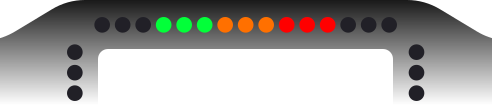
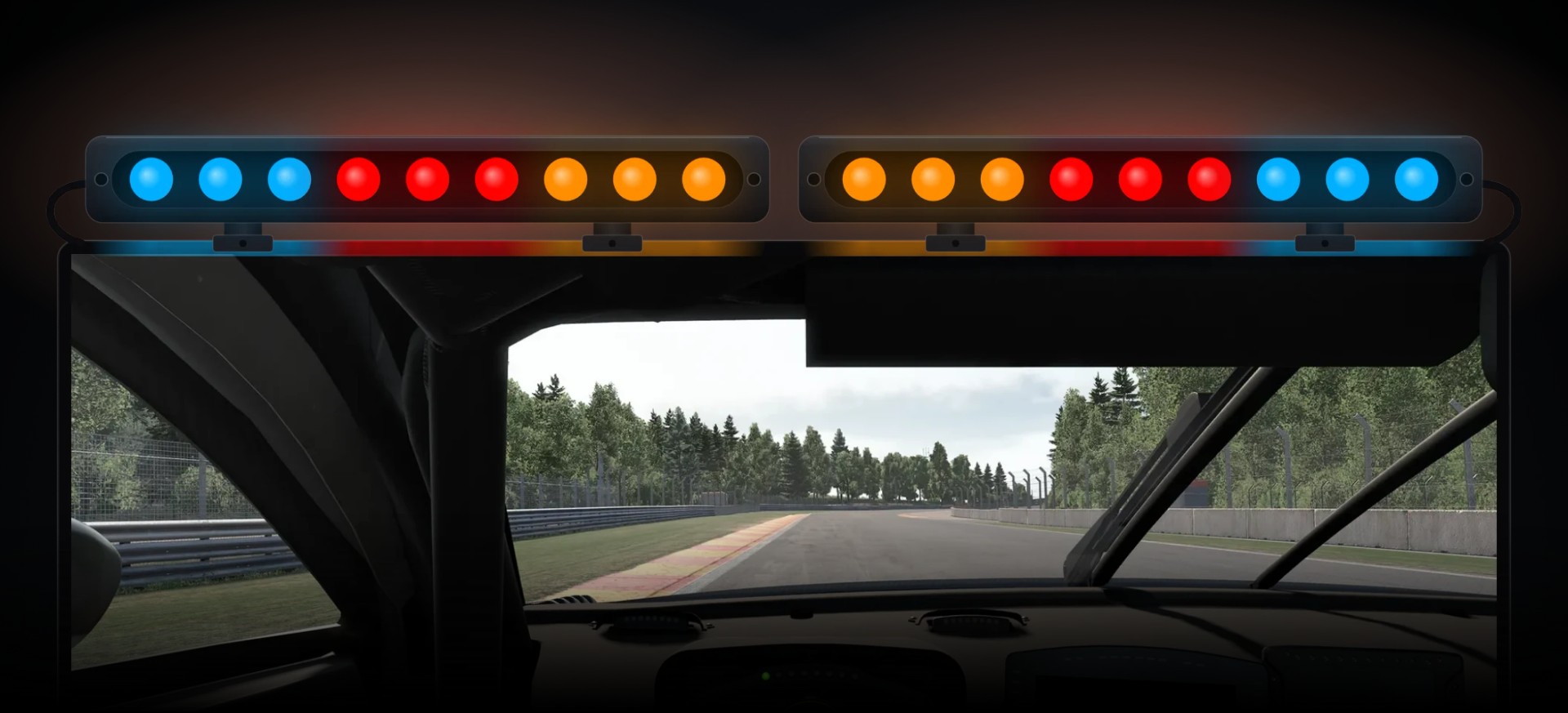
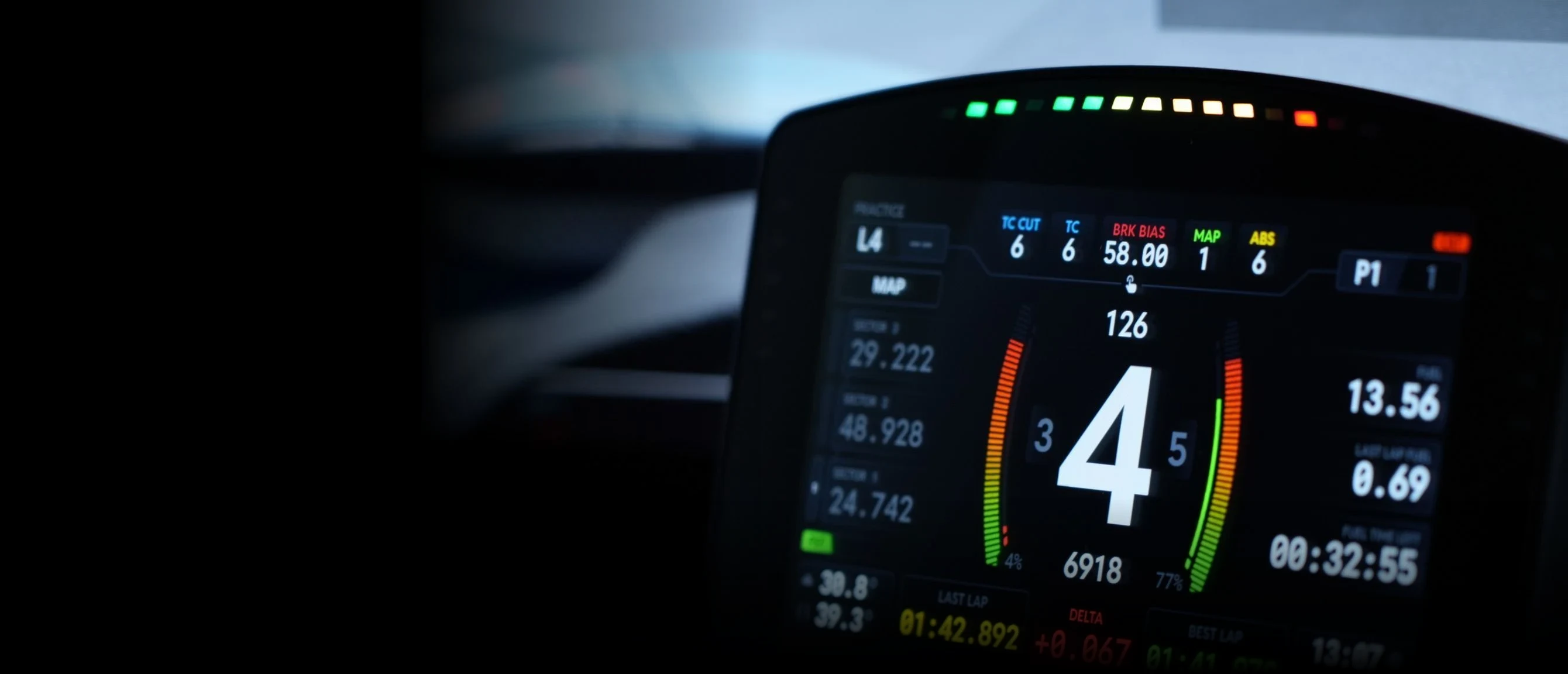
Slim LED light bars on top of your screen that tell you about the car in colour, at the edge of your vision: brake pressure, ABS, TC, ERS, the shift, the flags and the car alongside.
Read the car without looking down
Brows sit in your peripheral vision, above your screen, so the car can talk to you while your eyes stay on the braking point. One TrackThirtyTwo profile draws them all: up to four brows, each from 4 to 25 lights, each showing exactly what you want it to.
- Brows on one rig
- 4Brows on one rigAs a matched pair, or each its own
- Lights per brow
- 25Lights per browAny length from 4
- Brake blink stages
- 2Brake blink stagesSet where your car locks
- Marshal flags
- 11Marshal flagsEvery flag from yellow to chequered
 and above
Brows, with Team Driver.
Team Driver opens the Eyebrows page in the plugin and the TrackThirtyTwo LED Brows profile, with Flag Boxes and Ambient Lights alongside.
Why Brows wins
Flash with the rev bar, not beside it
On Copy RPMs Theme, the default, the brows take their redline from your rev lights: the same moment, the same blink and, while the rev bar shows the car's own lights, the car's own redline colours. Change the bar and the brows follow.
Two brows, one rig
A rig seen from the seat, with a pair of brows clamped to the top of its screen. Each chapter is one thing the brows do: pick its options and the brows show them at once.
Brake
Threshold braking you can see
Turn on Brake and the brow becomes a brake gauge. It fills from the outside in with your pedal, and two blink stages mark the pressures that matter: past Stage 1 the lights beyond it blink, past Stage 2 they blink twice as fast. Set the stages where your car starts to lock and you will feel for the limit with your eyes still on the road.
Blink Percentage Stage 1
- Blink Percentage Stage 1 starts at 80% and blinks every 150 ms
- Blink Percentage Stage 2 starts at 100% and blinks every 75 ms
- The stages are set once, shared with the RPM Telemetry page's Brake tab
- In ACC, AC, AC EVO, iRacing, AMS2, Le Mans Ultimate, rFactor 2 and RaceRoom it reads the pedal straight from the sim's own data
Redline
The shift, in your colours
RPM Redline Flash lights the whole brow at the shift point. Copy RPMs Theme wears whatever your rev lights wear and blinks the way they do. Custom Theme gives the brows a look of their own in one, two or three colours, in blocks or as a gradient, and a behaviour of their own: Flashing (Default) blinks at you, Static simply holds.
Brows Redline Theme
- Turned on per brow, so one can flash while the other keeps its gauge
- Copy RPMs Theme follows the rev bar's theme, or the car's own redline colours
- Custom Theme: 1, 2 or 3 colours, with or without Gradient
- With Universal Theme on, the brows wear the Universal colours
Proximity Spotters
Know which side, without a mirror
When a car draws alongside, the whole brow on that side lights in your Spotter Colour, end to end, with one dark light swapping between its two ends. The swap is the urgency: every 300 ms while the car is further off, every 150 ms once it is inside your Spotter Distance Far. The other brow carries on with its own job.
Play one
- On by default on every brow, and switched per brow
- Side keeps a car on your left on the left brow, however the brows are wired
- Spotter Colour, Spotter Frequency Far, Spotter Frequency Close and Spotter Distance Far are Universal Spotter Settings, shared with every device
- Spotter Distance Far is 5 metres to start with
Marshal Flags
Every flag, on both brows
Turn on Marshal Flags and both brows wave whatever race control is showing. A flag is two frames that swap at the Flags Blink Frequency: a plain flag is its colour, then dark, while the black flag, the safety car and the chequered flag alternate light by light and debris is yellow and red, so each one reads differently from the corner of your eye.
Wave one
- Off on the brows until you turn Marshal Flags on
- Flags Blink Frequency is 300 ms to start with
- Flags Priority: flags take priority over the spotter, or the spotter over flags
- Flags in Pit Lane: Always Visible (Default), or deactivated in the pit lane
- White Slow Car and White Final Lap both wave white, and a double yellow waves as yellow
Car systems
Made for the sims you race
ABS and TC each take a half of the brow, so you can tell them apart at a glance. ERS State of Charge draws the battery as a gauge, red to yellow to green, in the IndyCar style or with a separate deploy colour while you deploy. In Le Mans Ultimate, Lift and Coast fills the brow in purple with the game's own lift and coast progress; in iRacing, Pit Box Countdown counts you down to your box.
Car System Settings
- ABS on the outer half in yellow, TC on the inner half in blue
- ABS and TC light in every sim except the F1 games and BeamNG.drive
- TC in iRacing and Pit Box Countdown each need a third-party SimHub plugin
- ERS SoC Style: IndyCar, or IndyCar with separate deploy colour
Pit lane
In and out of the pits, penalty free
Speed/Pit Limiter covers the whole visit. Roll into the pit lane without the limiter and the ends of the brow flash red. Switch it on and the brow runs the blue and white limiter, with yellow pit lane lights at its ends. Go over the limit and the whole brow flashes red. Leave with the limiter still on and the ends flash green until you switch it off.
The stop, part by part
- On by default on every brow
- Entry, exit and speeding alerts flash every 125 ms
- The limiter runs in the Universal pit limiter colours, blue and white to start with
- Leaving the pits, the green reminder runs for up to 10 seconds
Off track
Alive in the garage
With no game running the brows play their idle animation: the TrackThirtyTwo Wave unless you pick another style, each brow its own. Then the engine start sweeps them into life as the car fires up: a shower of sparks, a hold, and a wipe from the centre.
Idle Animation
- Idle Animation: on for every brow by default, each with a style and a colour theme of its own
- Idle Animation Brightness sets the idle's own level
- Engine Start Animation: 2 seconds by default, in the shared Engine Start colour
- Hotkeys for the next and previous preset and the brightness
Dark Mode
Calm at night
In Dark Mode the brows drop to a quarter of their brightness, and the brake gauge, the redline and the spotters move to your Dark Mode colours, so a night stint keeps its warnings without lighting up the room. Each Dark Mode colour is a pair: the spotter takes its main colour, the brake gauge and the redline its alternative.
Dark Mode Colour
- Dark Mode Colour: Red, Blue, Purple, Orange or Custom
- Dark Mode brightness is 25% to start with
- The pit limiter runs in the Dark Mode pair too
- ABS, TC, the ERS gauge and Lift and Coast keep their own colours
Your rig
One brow or four, any length
Grouped keeps a matched pair on one length. Per Brow gives every brow its own length, side and settings, from a single brow up to four. Pick which device each brow is and the plugin writes it into the profile on that device, so it does not matter which way round you plugged them in.
Number of Brows
Brow Configuration Mode
- Number of Brows: 1 to 4, and Number of LEDs: 4 to 25 per brow
- Side keeps the spotters on the correct brow; Flip mirrors a brow fitted the other way round
- One device can carry both brows: a GRID Brows V2 is two brows of nine
- Starts at light places brows wired to one strip in a different order
An alternative, not a replacement
Every brand.
One experience.
TrackThirtyTwo does not replace the software your hardware maker gives you. It is an alternative to it: one that works with every brand on your rig and treats them all alike.
































01
Every maker's hardware
A maker writes software for its own wheel, and it stops at that maker's hardware. TrackThirtyTwo works with all of it, whoever made it.
02
The same on every brand
One set of settings, effects and themes across your rig, so it does not matter which brand you race on.
03
Everything in step
One suite runs every device, dashboard and overlay, so timings and animations never mismatch the way they can when different solutions are mixed.
Built for the brows on your rig
The TrackThirtyTwo LED Brows profile goes on the brow device in SimHub, and the plugin's Eyebrows page sets it up.
Brow devices
- GRID Brows V2
- Pokornyi Engineering LED Brows
- LED strips on an Arduino board in SimHub
- Any SimHub LED device given the LED Brows profile
Shared with every device
- Universal Spotter Settings
- Universal Flags Settings
- Universal Engine Start Settings
- Dark Mode colours and brightness
- Universal Theme
In the plugin
- Presets per game, with Any game to fall back on
- Brightness per brow, times the global brightness
- Hotkeys for presets and brightness
- Idle Mode, Redline, Effects, ERS / SoC and Brake tabs
Brows, answered
What do the Eyebrow LEDs do and how do I configure them?
Eyebrows are the LED strips that sit in your peripheral vision, so you can read the shift point, flags and warnings without looking away from the road. Their page in the plugin is TrackThirtyTwo > Eyebrows, and its tabs are Configuration, Idle Mode, Redline, Effects, ERS / SoC, Brake, Brightness and Hotkeys. Effects covers marshal flags, spotters, engine start, pit lane effects, TC and ABS, and Lift and Coast.
How many brows can I fit, and how long can they be?
Number of Brows goes from 1 to 4, and Number of LEDs (per brow) from 4 to 25. Grouped treats them as a matched pair sharing one length. Per Brow sets each brow's length and side separately, which is what a single brow or an odd arrangement needs. Side is what keeps the spotters and turn indicators pointing the right way, and Flip mirrors one brow's effects for a brow mounted or wired the opposite way round.
Which device draws each brow?
The page names the device behind every brow and lets you pick. The plugin writes that choice into the TrackThirtyTwo profile on the device itself, so it does not matter which way round you installed them, and a profile you imported by hand works the same. A unit that carries both brows on one strip, such as an 18-light controller driving a pair of nine, is picked for both brows and divides its lights between them.
How do I set up the brake gauge on my brows?
Turn on Brake on the Eyebrows page's Brake tab. Blink Percentage Stage 1 and Blink Percentage Stage 2 set the percentage of brake force at which each stage of the blink starts, so you can mark the point where you are braking hard and the point where you are close to locking. The brows carry no percentages of their own: they reuse the values from the Telemetry tab, and the plugin says so on the control.
Do the brows follow my rev lights at the redline?
Yes, on Copy RPMs Theme, which is the default: they flash at the same moment and on the same beat as your rev bar, in its colours. Or run a Custom Theme of one to three colours. Behaviour is Flashing (Default) or Static, set for the brows on their own.
Which sims light ABS, TC and Lift and Coast?
ABS and TC light in every sim except the F1 games and BeamNG.drive; in iRacing, TC needs a third-party SimHub plugin, as the plugin notes beside the setting. Lift and Coast is only available in Le Mans Ultimate, and Pit Box Countdown only in iRacing, also with a third-party SimHub plugin.
Ready for Brows?
Brows unlocks with Team Driver and above, and runs from the free TrackThirtyTwo SimHub plugin.